For property managers
Turn units faster, with less back-and-forth.
One walkthrough gives you the plan, the scope, matching bid sheets and the owner approval. Your contractors price from the sheet. Many won't need to visit first.
Free during the pilot · Needs an iPhone Pro
A turnover, start to finish
Maria manages 40 rental units, and a tenant moved out yesterday. She walks the empty unit once with her phone.
She decides the work, sends her painter and flooring installer the same sheet, and gets the owner's OK.
Maria is an example we design around, not a customer.
What she does in the app
- Opens the project for the property.
- Scans the unit and pins damage as she walks.
- Picks keep, touch up, repaint or replace for each room.
- Chooses a finish package and checks the preview.
- Reads the budget, built from her own rates.
- Sends one bid sheet per trade and enters the bids that come back.
- Sends the owner the approval PDF.
Four problems, and what changes
Today
Every contractor wants a site visit
Each one comes out to measure, on their own schedule. The unit sits empty while you wait.
After
Contractors get the plan, sizes, photos and damage pins up front, so many can price without a visit. Some will still want to see the unit.
Today
Bids you can't compare
One painter prices the walls only. Another includes ceilings and patching. You end up comparing different jobs.
After
Every bidder prices the same items, amounts and finish, so bids line up next to your budget. A bid more than 25% off the budget is flagged for a second look.
Today
Back and forth with the owner
You write the summary, find the photos, and chase the reply.
After
The owner gets one PDF per unit with the condition, the proposed look, the work, the chosen bids, the finish date and signature lines. Your own rates are not on it.
Today
Deposit disputes
The tenant says the scuff was already there. You have a few photos and no record of where they were taken.
After
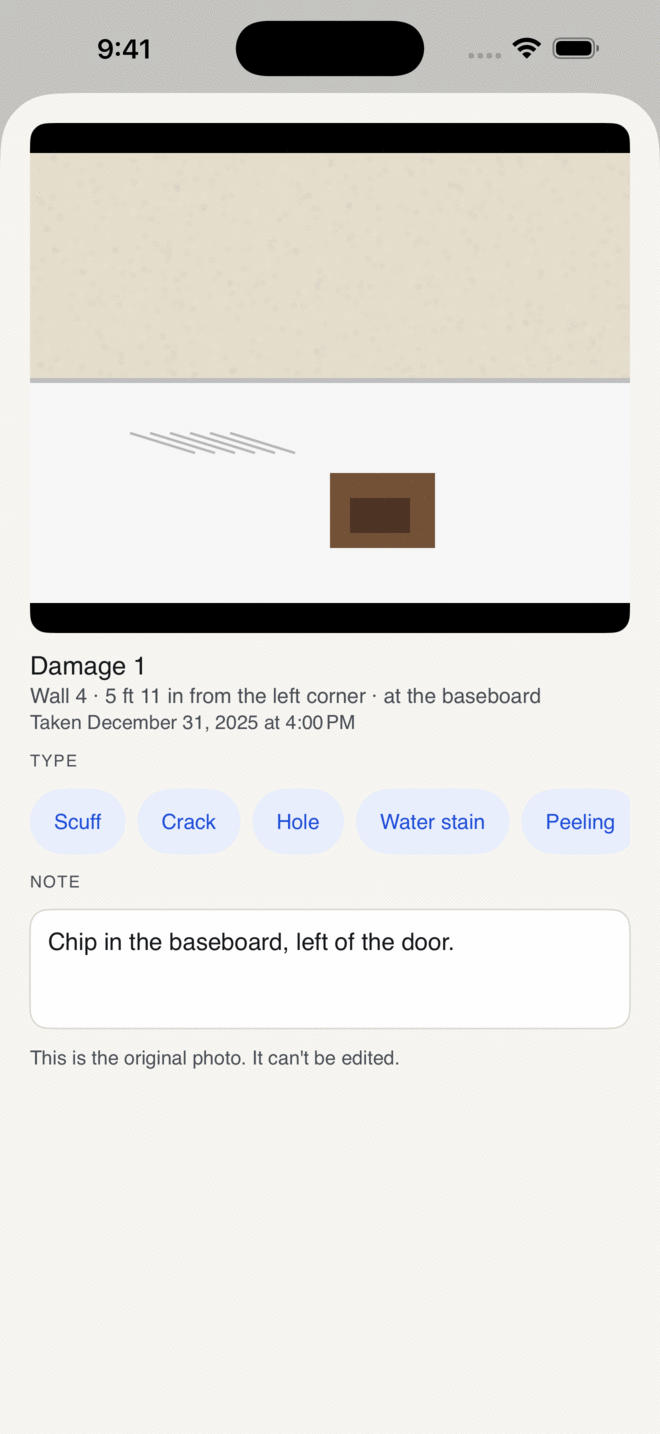
Move-in and move-out reports pin every mark to a wall, each with a dated photo. The original photo can't be edited in the app.
Screens from the app
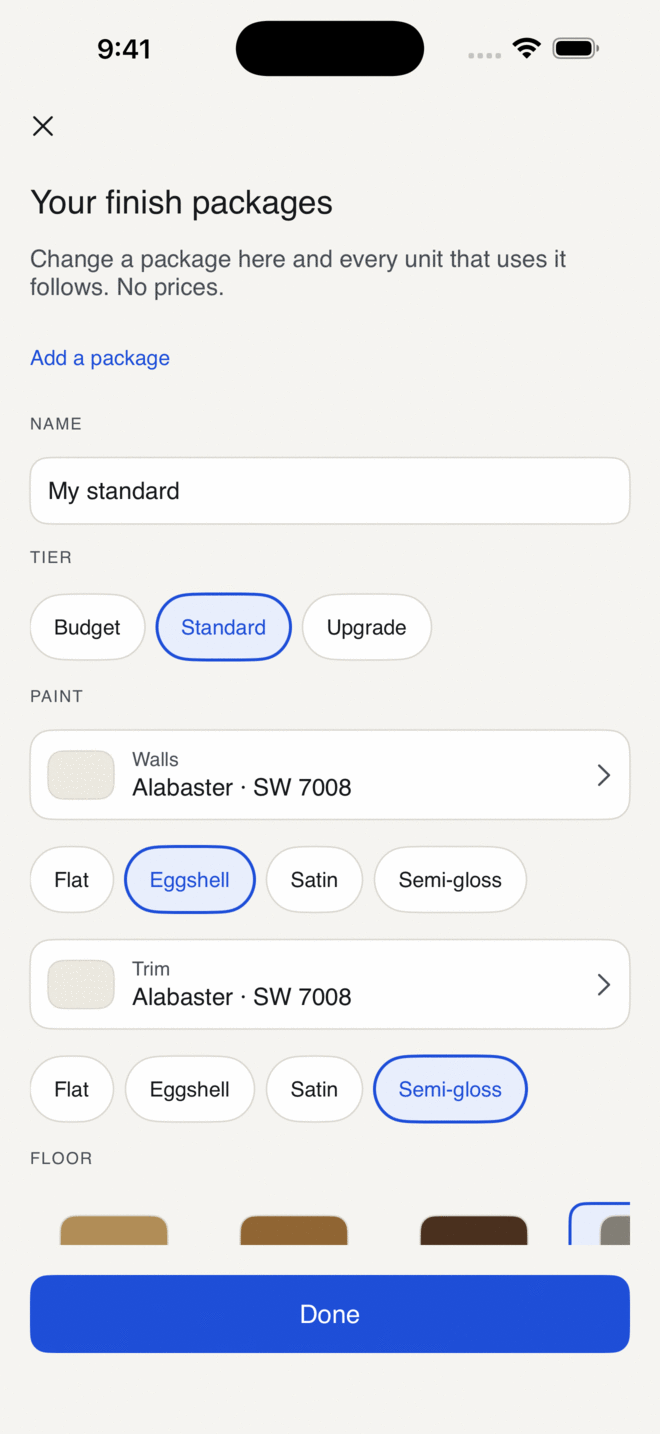
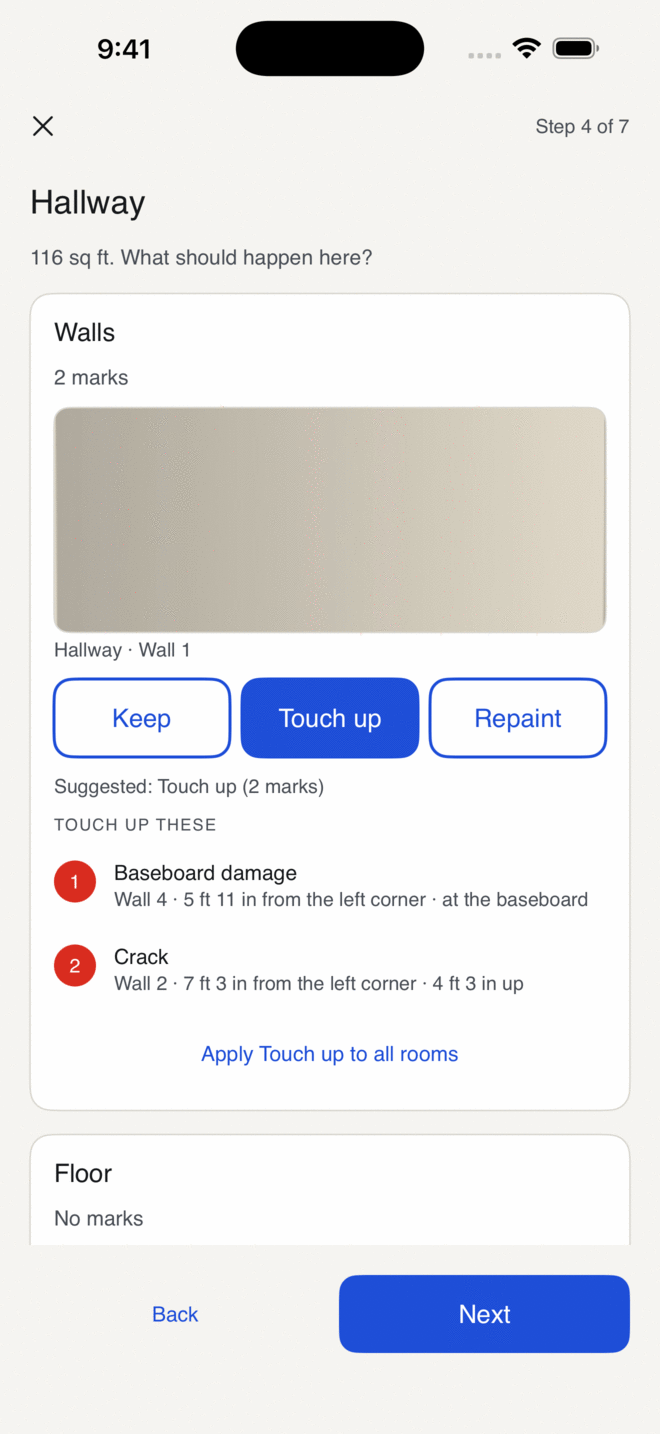
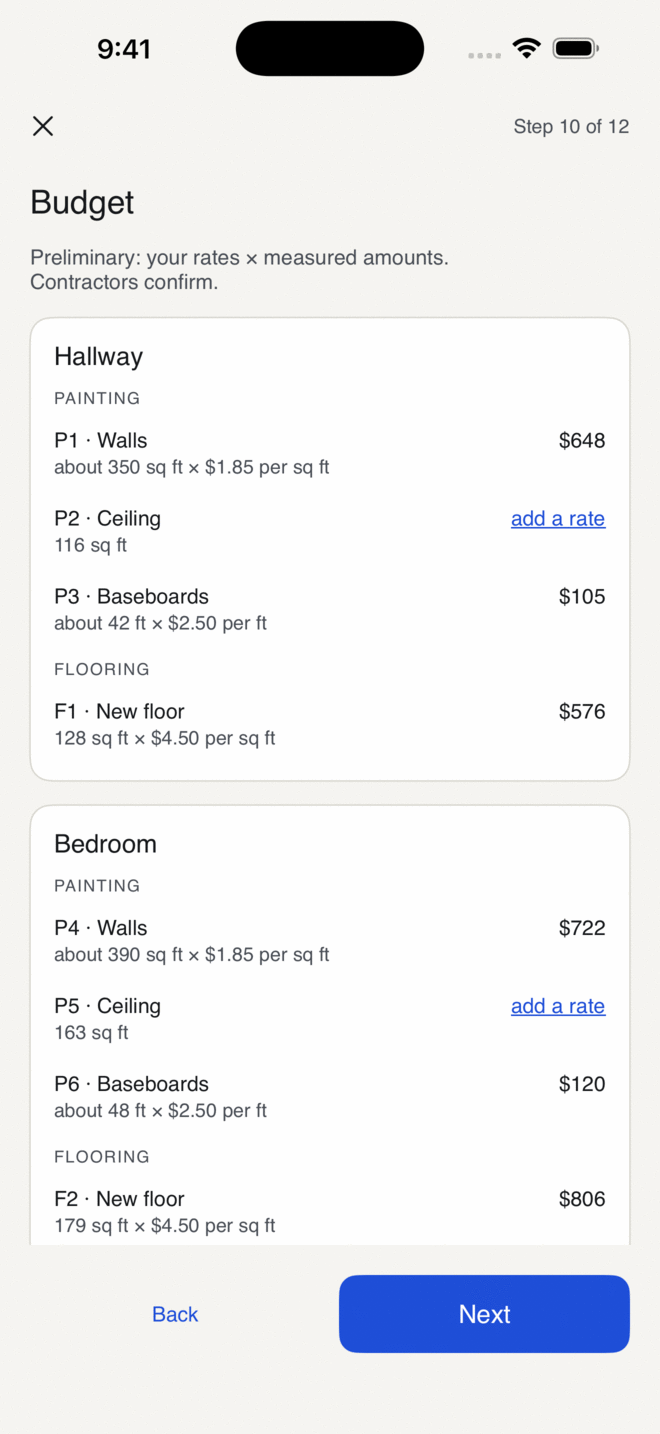
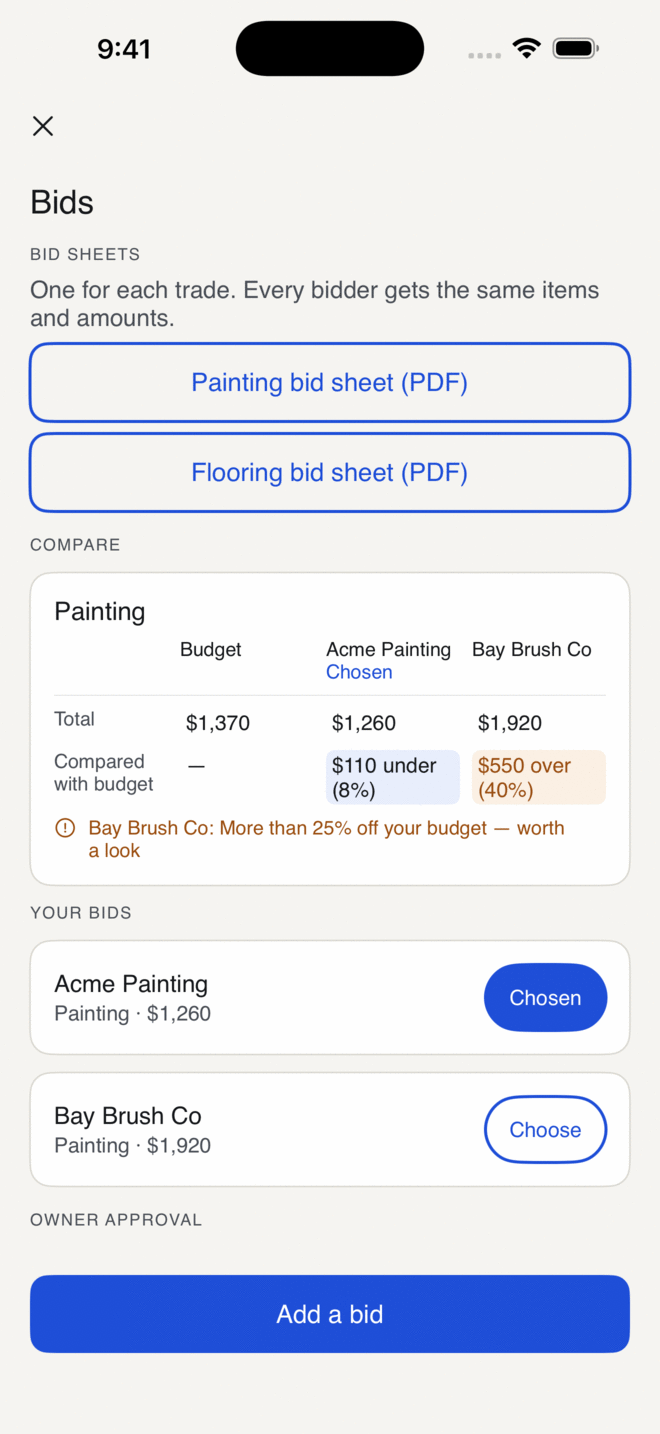
All four are real screenshots from the pilot app, shown as they are. They use test data, not a real property.
Move-out disputes, settled with a map.
Walk the unit at move-in and again at move-out. Every mark is pinned to the wall it's on, with a dated photo that can't be edited.
A record for your files, not legal advice.
The pilot offer
What you get
- Free during the pilot.
- We work through your next three turns with you, start to finish.
What we ask in return
- A 30-minute call before your first unit and another after your third.
- Tell us when something is wrong or confusing.
- Let us ask your painter or installer if they could quote from the sheet.
- We won't show your plans or photos anywhere without your yes.
You need an iPhone Pro, a vacant unit and your own contractors.
Questions
How accurate are the sizes?
The phone measures them, so areas show as "about". Your contractor confirms on site before a firm price.
We have no accuracy figure yet. In the pilot we compare our numbers with your contractors' and share what we find.
Which phones work?
Scanning needs an iPhone Pro with a LiDAR scanner. iPhone only for now.
Do my rates stay mine?
Yes. You enter your own rates once. We supply no prices. Lines without a rate show "add a rate".
The owner PDF shows only the chosen bid totals. Your markup stays off unless you turn it on. Bid sheets have blank price columns.
What about data and privacy?
Your finish packages are saved on your phone. Damage photos go in the unit's record, and the app doesn't let you edit the originals.
Full privacy details aren't published yet. Every pilot manager gets them before their first scan.
Do my contractors need the app?
No. They get a PDF, price it, and send it back however they do today. You enter their bid in the app.